« To Async recording: Overview
You can update the prompt that participants see when they create an async recording.
Participants do not see the title. Only members of the Riverside account see it. The URL of the link does not change when you make updates to the title or prompt.
Who: Account owner, admins, and directors
Plan: Some Business plans, contact your CSM
Device: Computer browser
Please note:
Async recording is available for qualified Business accounts.
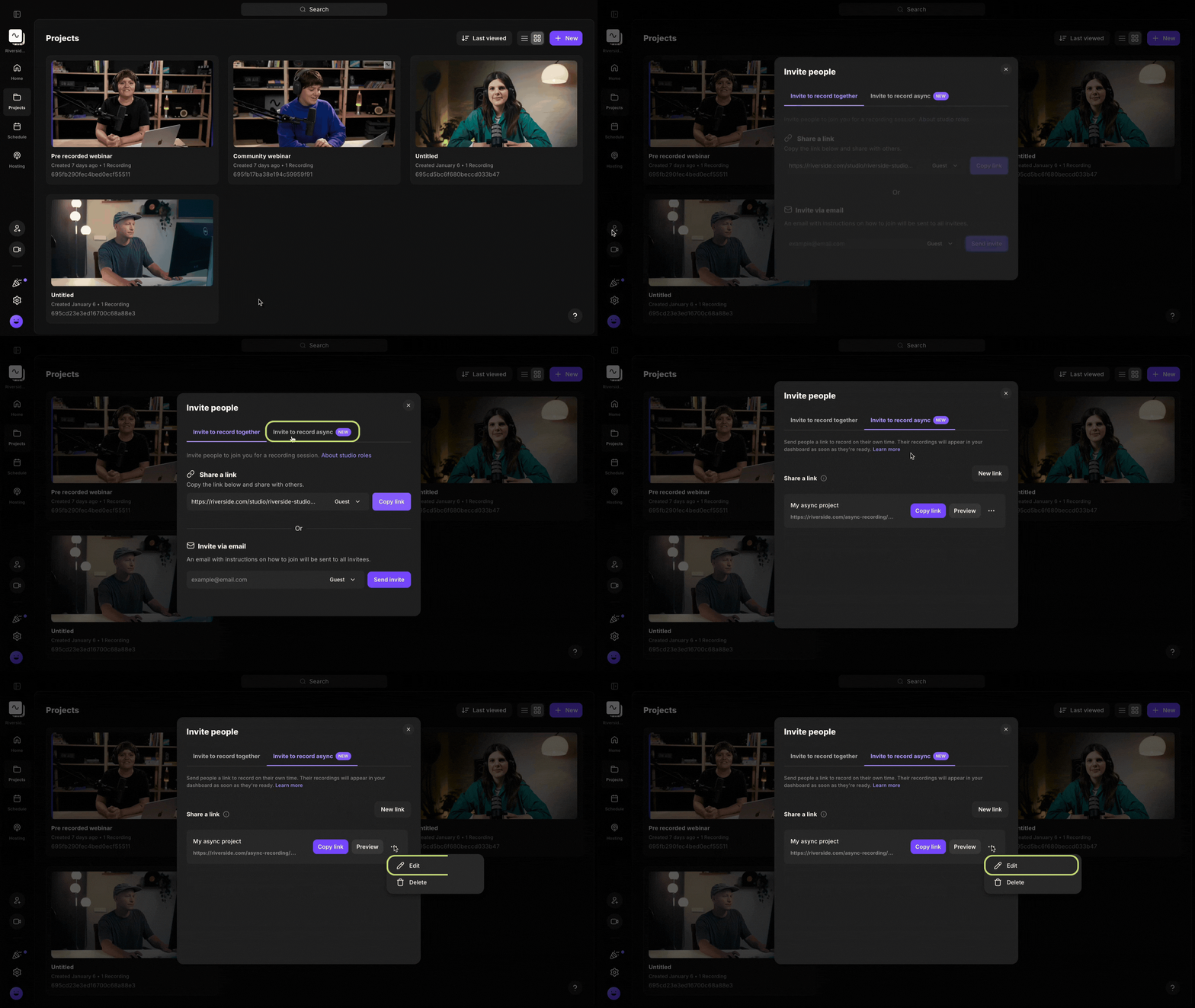 Step by step
- Log in to your Riverside account.
- Navigate to the relevant studio.
- From the sidebar on the left, click the
Invite to record icon.
- In the Invite people panel, click Invite to record async.
- Next to the relevant invite, click the ••• [the three dots].
- Choose Edit.
- Enter a new link title or script prompt for the Guests.
- Click Save.
Good to know
- Access the Studio's settings to change recording details, like switching to audio-only mode or adjusting the maximum video resolution.