Riverside Help Center Help Center home page
Go to Riverside
  1. Riverside Help Center
  2. Hosting, sharing, and publishing
  3. Hosting, sharing, and publishing FAQs

Hosting: Where can I find the episode ID?

« to Hosting: Overview

Each episode you create in Riverside has a unique ID that the Support team can use to access its technical details.

Plan: Pro, Live, Webinar, and Business 
Device: Computer browser
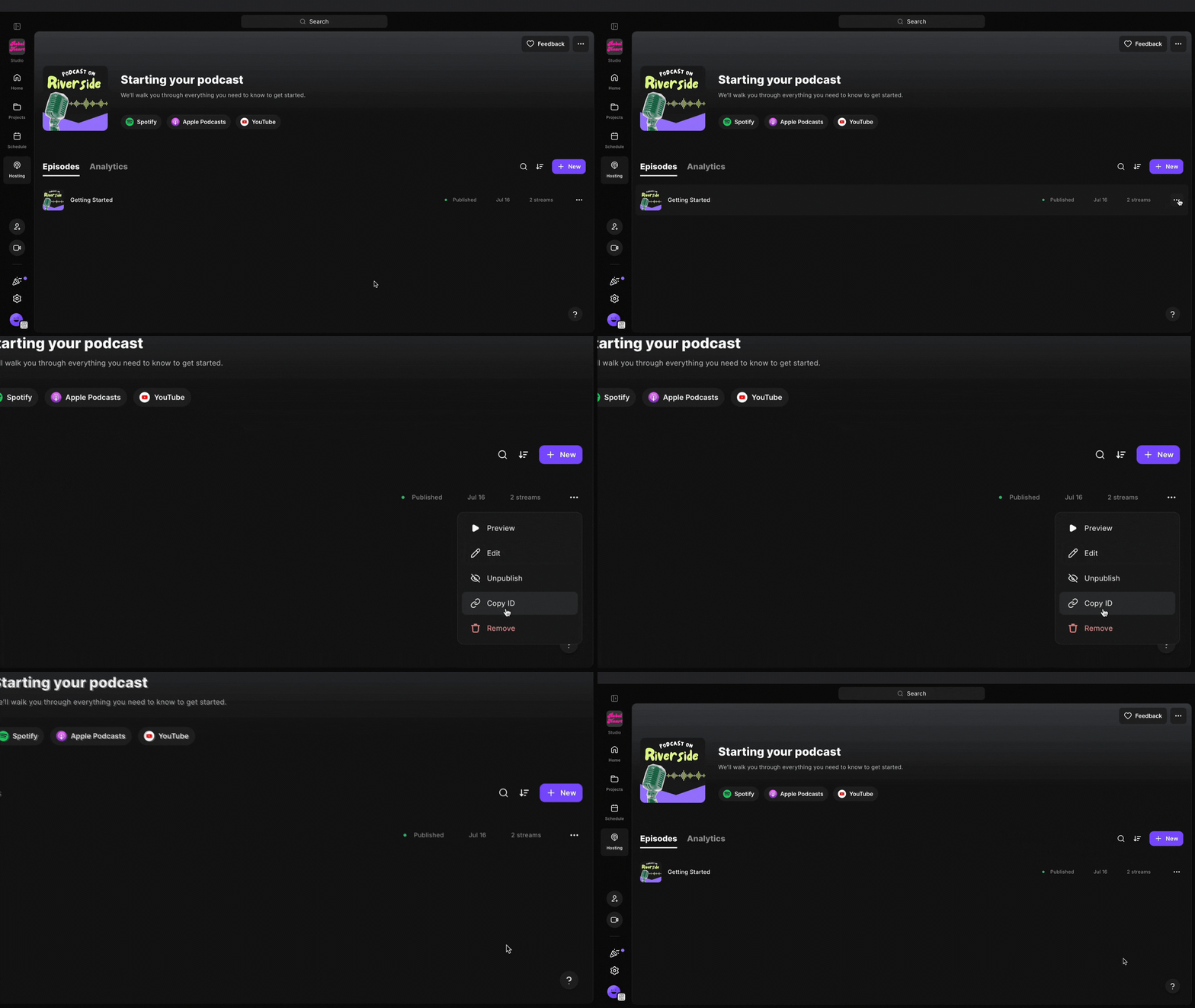
episode ID.gif Step by step

  1. Log in to your Riverside account.
  2. Navigate to the relevant studio.
  3. From the sidebar on the left, click Hosting.
  1. To the right of the published episode, click ••• [the three dots].

  2. Click Copy ID.
    The episode ID is copied to your computer's clipboard.

Related articles

  • Hosting: Where can I find the podcast ID?
  • Hosting: My podcast isn’t live yet
  • Hosting: Where can I find my podcast's Riverside RSS URL?
  • Hosting: Overview
  • Camera: Logitech Brio (Logitech 4K Pro)

Articles in this section

  • Access archived recordings
  • Can I give someone access to edit on my account?
  • Can I import Riverside XML files to Adobe Audition?
  • Can Riverside provide hosting for my recordings?
  • Hosting: Are video episodes imported into Riverside?
  • Hosting: How do I locate my podcast RSS URL?
  • Hosting: How do I publish my podcast’s video episodes?
  • Hosting: How long does it take to redirect your RSS feed from Riverside?
  • Hosting: I see an error when importing episodes
  • Hosting: I see an error when pasting my RSS URL

See all articles

Deutsch Español Français Português